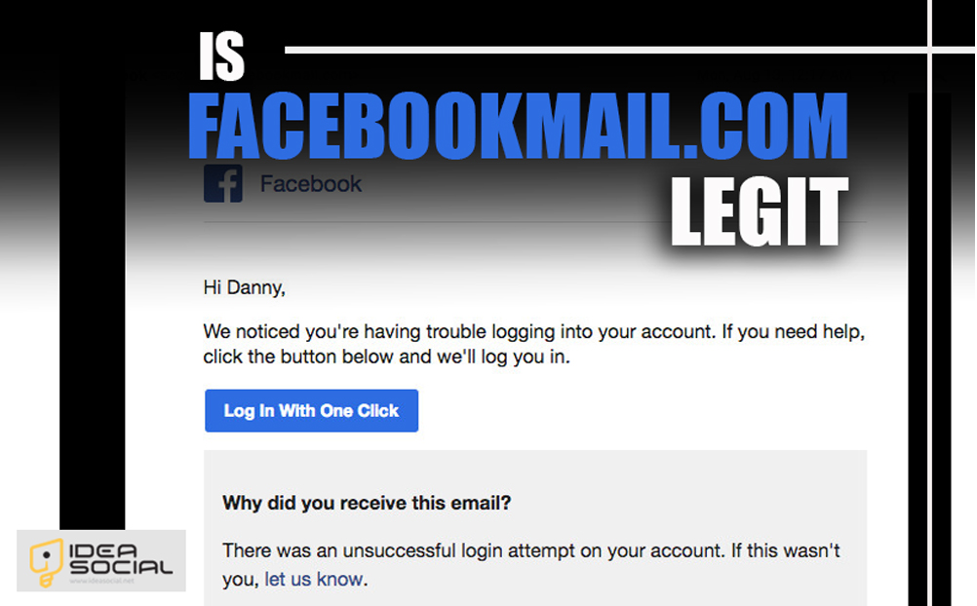
Given the extensive use of Facebook, it is vital to understand whether emails from this domain are legitimate or fraudulent.
This article dives into the details of facebookmail.com, examines its authenticity, and provides guidance on handling emails from this domain.
Email continues to play a crucial role in personal and professional interactions in this age of digital communication. Still, users must be vigilant due to the proliferation of email-based scams and phishing attempts. One domain that has raised concerns is “facebookmail.com.”
Therefore, if you are a Facebook lover who wants to know, “Is facebookmail.com legit?” We will go over the specifics with you in Ideasocial.
Being familiar with FacebookMail.com (A short definition)
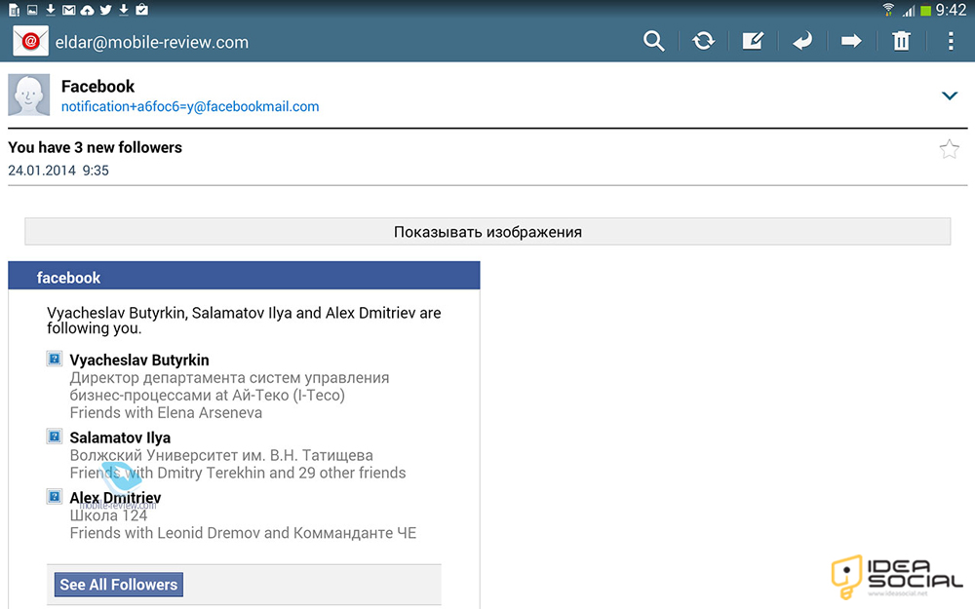
Facebook uses the official domain Facebookmail.com to communicate with its users and give them alerts.
Many people who are joining Facebook or using the site often get emails from “notification@facebookmail.com.”
These emails include information about their accounts, friend requests, comments, and other notices. Users can expect to get news and information about their Facebook accounts on this site.
With that bit of background on Facebookmail.com, let’s move on to some real-world applications:
Knowing if facebookmail.com is authentic helps you protect your account from scams and phishing attempts. Once your account is secure, you can focus on using Facebook responsibly. Find out how many Facebook messages per day are allowed to stay within platform rules and avoid temporary restrictions.
What are the legal purposes for “FacebookMail.com”?
The domain name Facebookmail.com serves several valid purposes, including keeping users informed and protecting their accounts.
Listed below are the most critical legitimate uses for Facebookmail.com:
1.Account Notifications
One of the main goals of emails from facebookmail.com is to notify users about account activity. Messages, comments, likes, and friend requests are all part of this.
2.Security Alerts
Another purpose of Facebookmail.com is to send security notifications. Facebook uses this domain to alert you if it detects unusual behavior on your account, including logging in from an unknown device or location.
3.Account Recovery
Facebook sends verification codes and recovery instructions to facebookmail.com when users need to change passwords or recover their accounts.
4.Promotional Content
From time to time, the app can use the facebookmail.com domain to disseminate promotional emails about upcoming events, new services, or revisions to its privacy and terms of service policies.

What are the identifying legitimate emails from Facebookmail.com?
Although FacebookMail.com is an app’s actual domain, you should still be wary of emails that claim to be from this address. Phishing emails sent by cybercriminals sometimes use fake addresses to fool their targets.
If you get an email from Facebook, here are ways to verify its legitimacy:
- Double-check the Email Address of the Sender
Never open an attachment without first checking the sender’s email address. The domain “notification@facebookmail.com” or another easily identifiable Facebook domain is the one you can trust to send you official Facebook emails.
- Keep an Eye Out for Personalized records.
If an email claims to be from Facebook, it may include personal information such as your name, profile picture, or account activity records.
- Avoid Clicking Suspicious Links
Stay wary of emails asking you to click links or download attachments; they might be malicious. To confirm any allegations, you should instead visit Facebook’s website by entering “facebook.com” into your browser.
- Check the Sentence & Body
Trustworthy Facebook messages are often formal and easy to understand. Emails that include spelling and grammar mistakes, strange formatting, or language that demands a quick response should raise red flags.
- Check for HTTPS
Verify that the email’s links go to safe domains by checking for the “https://” prefix in the URL. This is a simple but critical step to ensure the connection is secure.

What are the Facebookmail.com scams you should know about?
Although facebookmail.com is a valid domain, con artists often take advantage of it using various techniques.
So be wary of the following scams:
- Phishing emails aim to trick victims into divulging personal information (such as passwords or credit card details) by sending them emails that seem to come from com.
- Some get emails saying Facebook is about to suspend their account until they confirm their details by clicking a link. This is called an account suspension scam. Attempts to gain login credentials are usually the goal of these phishing attacks.
- Emails that look like Facebook security warnings are sent by con artists who want to trick users into clicking on malicious links to protect their accounts from suspicious behavior.
- Emails requesting personal information from recipients to claim a win or lottery are almost always a fraud. The recipients believe they have won the prize or lottery via Facebook.
What is the process for reporting Facebookmail.com troubles?
Facebook must be notified immediately if any suspicious emails from facebookmail.com are received.
To do this, follow the steps below that we listed for you:
- It would help if you did not open attachments or click on links in the questionable email.
- You can report suspicious emails sent to Facebook at phish@facebook.com. This will help Facebook better identify and combat fraud.
- Remember to remove the email from your inbox after reporting it. This will help avoid unintentional contact with any dangerous information.
- Ensure no one else has logged into your Facebook account or changed your recent activity by logging in.

How do you make your Facebook emails more secure?
You should take into consideration the following recommended practices to better protect yourself against email scams on Facebook:
- Two-factor authentication can protect your Facebook account from unauthorized access, even if your password is hacked.
- Avoid using the same password across multiple sites, and make sure your Facebook password is strong and unique.
- To protect oneself from such dangers, it is essential to inform yourself about frequent email scams on Facebook and phishing strategies.
- Always use the most recent version of your operating system on Facebook, web browser, and email client to protect yourself against known security flaws.
Conclusion
Finally, Facebook’s official email address for communicating with its users is facebookmail.com, a valid domain.
However, you should always check the sender’s address before opening an attachment from this site since phishing and other email frauds are widespread.
Follow the advice in this article to ensure that your Facebook interactions are safe and that you don’t fall for email scammers.
Stay alert at all times. You can contact Facebook via its official page to confirm any questionable messages if you have any concerns.
Have you ever wondered whether messages sent by Facebookmail.com are legitimate?
To avoid falling victim to fraud, read our comprehensive information on “Is Facebookmail.com Legit?” which will teach you to recognize genuine emails.
Ultimately, we eagerly anticipate your input about the subject so that we can enhance our data.
FAQs
Can you trust Facebookmail.com as an email domain?
In response to your question, the correct domain name for Facebook's official email service is Facebookmail.com.
How can I tell whether an email I received from Facebookmail.com is legitimate?
The answer is to ensure the Facebook email is safe and professional by checking the sender's address, looking for personalized information, and avoiding questionable links.
How often do Facebookmail.com frauds occur?
Phishing emails, false security warnings, reward scams, and account suspensions are all examples of common fraud.
What can I do if Facebookmail.com sends me an email that seems suspicious?
The correct response is to file a complaint to "phish@facebook.com," ignore any attachments or links, and remove the message from your inbox.
What steps can I take to make Facebookmail.com emails more secure?
The best defense against online fraud via Facebook email is a combination of strong passwords, frequent software updates, keeping abreast of scam news, and two-factor authentication.