In this digital era, LinkedIn has become a potent tool for connecting professionals, finding jobs, and expanding businesses.
The platform connects professionals, allows them to share thoughts, and helps them explore employment options.
It has millions of users throughout the globe. However, LinkedIn has its own set of rules and regulations that, if broken, might result in account suspension or deletion.
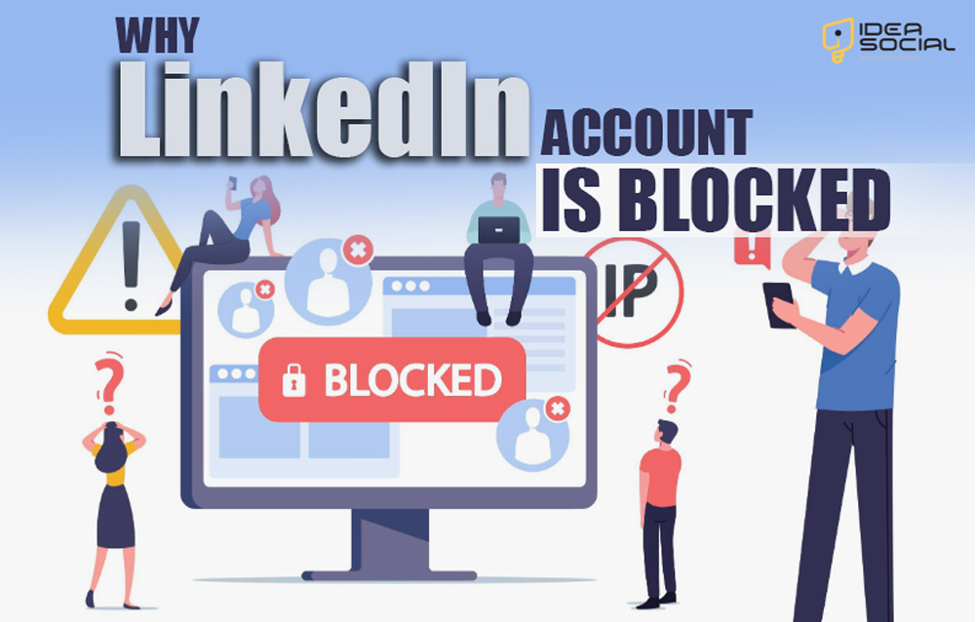
This is the question: “Why is a LinkedIn account blocked?” We will investigate the most typical causes of LinkedIn account blocking and provide suggestions on how to avoid or fix such problems.
So, if you are one of the people who use this app and face this problem, be with us to discover all the tips and details.
What are the reasons & solutions for LinkedIn account blocking?
There are a number of grounds for blocking an account on LinkedIn, including security issues and policy infractions.
Some typical causes and their solutions are listed as follows we listed for you and invite you to pay attention to them carefully:
(7) Common reasons for blocking an account on LinkedIn
- The first reason that can cause being blocked on LinkedIn is creating phoney accounts, participating in spamming conduct or publishing improper information. These are all examples of violations of the User Agreement that LinkedIn makes available to its users.
- Accounts that have been marked for questionable conduct, such as account hacking, phishing, or spamming, can be blocked by LinkedIn if the company is concerned about security or suspected of engaging in suspicious activity.
- It is considered spammy activity to send an excessive number of connection requests or unsolicited messages, which can result in the blocking of a LinkedIn account. For example, sending an excessive number of connection requests or messages.
- LinkedIn can block a user’s account if they post anything that is deemed to be improper, offensive, or misleading. Examples of such content include hate speech and deceptive advertising.
- Inappropriate use of features such as endorsements, groups, or the message system for personal promotion or spamming can result in the banning of a LinkedIn account.
- If a user has a history of policy breaches or many complaints from other users, their LinkedIn account can be vulnerable to blocking. This is because of the potential for the user to be blocked.
- In very unusual circumstances, LinkedIn account bans can be imposed on LinkedIn users as a result of technical errors or system malfunctions on LinkedIn’s end.
(7) Practical solution for blocking an account on LinkedIn
- The first solution that we can offer to you to prevent being blocked by LinkedIn is to examine and obey the app regulations, acquaint yourself with the user agreement and content regulations, and make sure that you comply with them in order to prevent your account from being permanently blocked.
- Maintaining the security of your account requires that you make use of robust passwords, activate two-factor authentication, and quickly report any unwanted access or suspicious activity that involves your account. These tips can help you prevent LinkedIn blocking so easily.
- Instead of turning to spam approaches such as sending an excessive number of connection requests or messages, you should concentrate on developing real connections and participating in meaningful conversations, for the most part, if you do not want to be blocked by LinkedIn.
- The content that you submit should be relevant and professional. Make sure that your postings comply with the content criteria that LinkedIn has established and that they offer value to the platform by being respectful, experienced, and relevant. Paying attention to these factors is important to avoid blocking on LinkedIn.
- Please make use of LinkedIn features in a meaningful and responsible manner, avoiding exploiting them for the goal of self-promotion or spamming.
- When it comes to solving LinkedIn blocking problems, you should learn from your past errors. If you have committed infractions in the past, you should take the time to learn from them and work toward maintaining a strong online image by sticking to the criteria that LinkedIn has established.
- Request help for technical problems. If you suspect that your LinkedIn account has been incorrectly banned as a result of technical issues, you should contact the support staff at LinkedIn in order to get help.
To keep your LinkedIn account unblocked and continue making an impression on the network, it’s important to understand the reasons behind it and follow the solutions provided.
What happens when the LinkedIn account is blocked?
When LinkedIn blocks your account, you can’t see your profile and can’t use the platform to make connections, network, or use any of the other functions.
Without it, you won’t stand out to prospective employers, which will halt your job hunt and prevent you from making the most of networking events.
Also, others may see the ban as an indication that you have violated LinkedIn’s rules and regulations, which may damage your online image.
Do not panic at all! You can quickly get rid of the problem and make sure it doesn’t happen again by employing the solutions to LinkedIn’s blocking issues that we discussed before.
What are the don’ts when LinkedIn restricts accounts?
When your LinkedIn account is limited, there are some things you should not do to make the issue worse:
- First and foremost, you should refrain from trying to get around the limitation by making new accounts or utilizing other ways to access the site.
- Furthermore, refrain from doing what got you banned on LinkedIn in the first place, including uploading offensive or spammy stuff.
- Please reply quickly and constructively to LinkedIn’s notification about the limitation; otherwise, the situation may get much more complicated.
- Your professionalism will take a hit, and your attempts to fix the matter will be impeded if you vent your displeasure publicly or violate LinkedIn’s policies during the limitation.
- Last but not least, have patience since removing LinkedIn account limits might be a lengthy procedure.
By following these “don’ts,” you can improve your chances of fixing the limitation on LinkedIn and getting back into your account.
Conclusion
Finally, if your LinkedIn account is suspended, it can ruin your professional connections, job opportunities, and internet credibility.
In order for users to appropriately traverse the platform, they must understand the reasons for account bans and resolve the underlying problems.
One of the most important things you can do to get the most out of LinkedIn for your career is to maintain a pleasant and courteous online presence.
All right, this is the final opportunity for you to contribute your insights and experiences regarding “Why is your LinkedIn account blocked?”
Feel free to share your thoughts on the LinkedIn block and whether or not you have personally encountered this problem. What prompted the situation, and how did you resolve it?